> ## Documentation Index
> Fetch the complete documentation index at: https://auth0-update-anonymous-sessons-ea.mintlify.site/llms.txt
> Use this file to discover all available pages before exploring further.
> Datadog 向けに SAML2 Web App アドオンを使用して、Auth0 をアイデンティティプロバイダーとして設定する方法を説明します。
# Datadog を SAML サービスプロバイダーとして設定する
Datadog では、次の SAML 設定を使用します。
1. [Dashboard > Applications > Applications](https://manage.auth0.com/#/applications) に移動し、新しいアプリケーションを作成するか、更新するアプリケーション名をクリックします。
2. **Addons** タブに移動し、**SAML2 Web App** のトグルを有効にします。
3. **設定** タブで、**Application Callback URL** を `https://app.datadoghq.com/account/saml/assertion` に設定します。
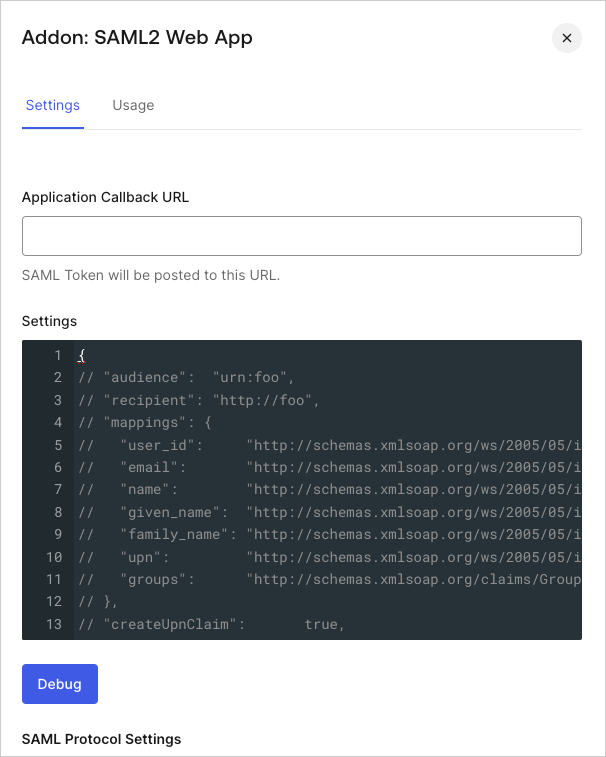 4. 次のコードを **設定** のテキストボックスに貼り付け、**Debug** をクリックします。
```json lines theme={null}
{
"audience": "https://app.datadoghq.com/account/saml/metadata.xml",
"mappings": {
},
"createUpnClaim": false,
"passthroughClaimsWithNoMapping": false,
"mapUnknownClaimsAsIs": false,
"mapIdentities": false,
"nameIdentifierFormat": "urn:oasis:names:tc:SAML:1.1:nameid-format:emailAddress",
"nameIdentifierProbes": [
"http://schemas.xmlsoap.org/ws/2005/05/identity/claims/emailaddress",
],
}
```
5. ページの一番下までスクロールし、**Enable** をクリックします。
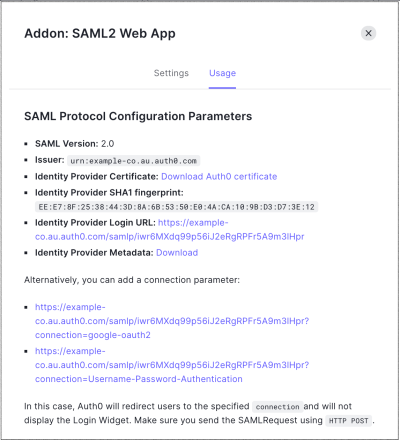
6. **使用状況** タブで **Identity Provider Metadata** を見つけ、**Download** をクリックしてメタデータファイルをダウンロードします。これは、Auth0 をアイデンティティプロバイダー (IdP) として設定するときに必要です。
4. 次のコードを **設定** のテキストボックスに貼り付け、**Debug** をクリックします。
```json lines theme={null}
{
"audience": "https://app.datadoghq.com/account/saml/metadata.xml",
"mappings": {
},
"createUpnClaim": false,
"passthroughClaimsWithNoMapping": false,
"mapUnknownClaimsAsIs": false,
"mapIdentities": false,
"nameIdentifierFormat": "urn:oasis:names:tc:SAML:1.1:nameid-format:emailAddress",
"nameIdentifierProbes": [
"http://schemas.xmlsoap.org/ws/2005/05/identity/claims/emailaddress",
],
}
```
5. ページの一番下までスクロールし、**Enable** をクリックします。
6. **使用状況** タブで **Identity Provider Metadata** を見つけ、**Download** をクリックしてメタデータファイルをダウンロードします。これは、Auth0 をアイデンティティプロバイダー (IdP) として設定するときに必要です。